
Building AI Apps with Less Release Risk
AI can help a small team build a customer portal, booking tool, or reporting app faster. Before customers depend on each new feature, the team still needs to review it, choose its first users, and prepare a way back.
More AI code. Less release risk.
FeatBit is an open-source, AI-native feature flag platform for reducing release risk. Roll out AI-built features to selected users, connect health signals with release changes, and restore previously healthy release settings and audiences.
Start with a business task worth improving
Choose a repeated task with a clear owner and a result someone can check. Ask who struggles with it, what a useful first version would do, and who will maintain the app. Start small enough that you can review its behavior and support its users.
Jobbit helps small teams build internal tools and customer-facing apps with AI. Its guide to AI use cases for small businesses explores practical ways to save time and improve business workflows. As teams launch and update these apps, feature flags can help them introduce changes gradually and reduce release risk.
Consider a hypothetical small team improving reports in its customer portal. Customers currently request exports from support. The team uses AI to build a reporting page with filters and downloads. The goal is concrete: customers can retrieve a correct report themselves. The feature need not use an AI model at runtime just because AI helped build it.
Deploying code and releasing a feature are different decisions
Deployment puts code into an environment. Release makes a feature available to users.
The team can deploy the new reporting code while customers continue using the existing report workflow. A feature flag selects which path an eligible request uses. The new code is present, but its audience is controlled separately.
Connect a FeatBit SDK using the SDK connection guide. Create a flag such as portal-reports-v2, with false selecting the existing workflow. Configure the OFF variation and application fallback deliberately. Place the decision before the new report operation, including its API or background-job entry point; hiding a button alone is insufficient.
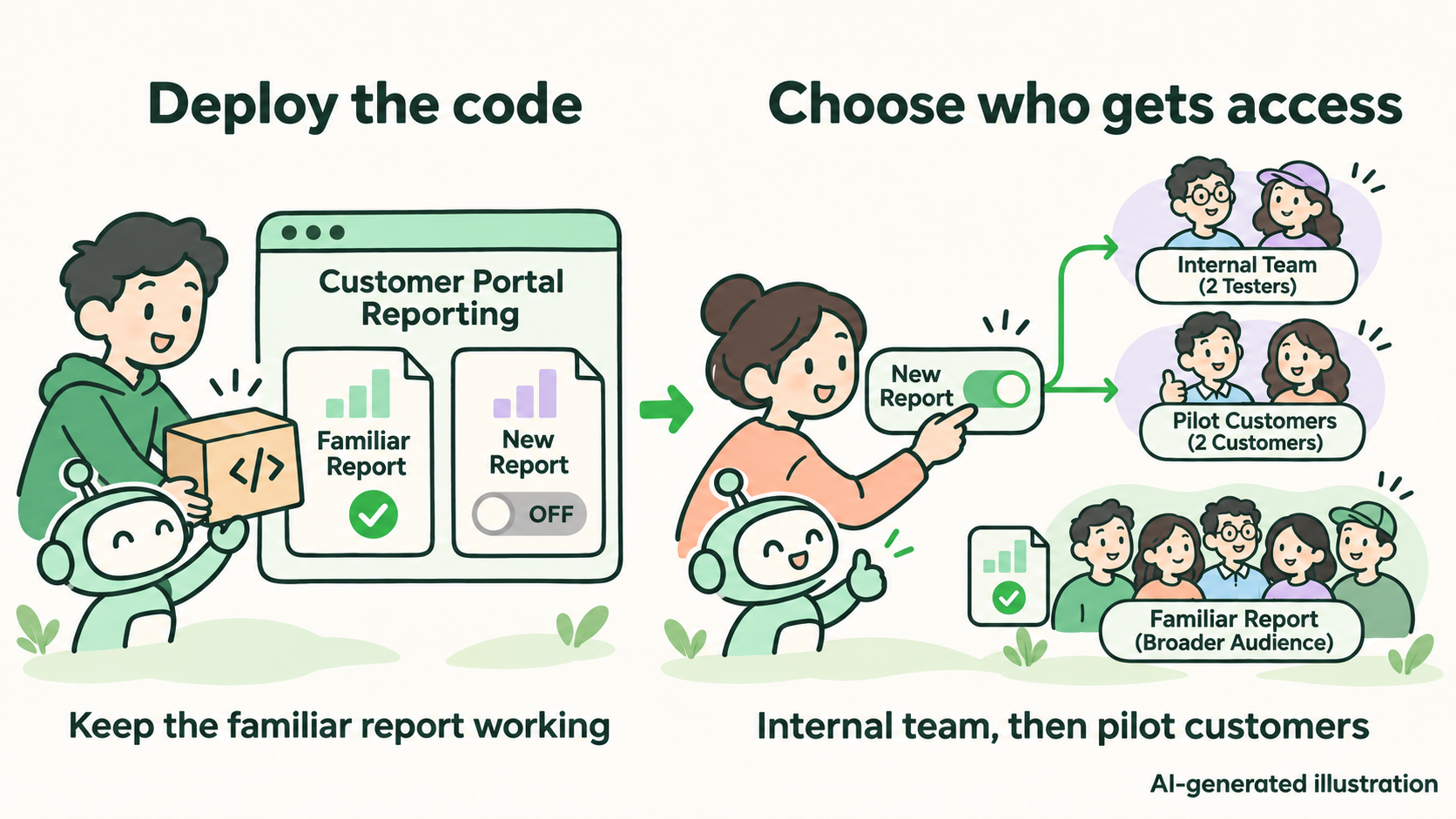
AI-generated illustration. Deployment adds the code; targeting controls who uses the new reporting path.
Review both paths before inviting users
Review generated code for report correctness, account isolation, permissions, dependency handling, and failure behavior. Test filters, empty results, large datasets, and failed downloads. Verify that a customer cannot retrieve another account's report.
Keep the old workflow deployed and usable. Test the flag both ways, including initialization failure and the configured fallback. If the new feature changes stored data, confirm that the old path can still read it.
Feature flags cannot replace testing, code review, or security checks. They also cannot make an incompatible database migration reversible.
Begin with internal users, then a small pilot
Use FeatBit's targeting rules to give internal testers access first. Then admit a few willing customers whose reporting needs you understand. Everyone else keeps the familiar workflow.
Supply stable user identities and trusted account attributes to the SDK. For shared reports, consider an account-level release so colleagues receive a consistent experience. Keep authorization in the application regardless of the flag result.
Verify one included account and one excluded account. Give pilot users a clear way to report problems, and name a teammate who can stop expansion.
Connect release changes to health signals
A successful deployment does not establish that reporting works. Before opening the pilot, instrument the application and verify three signals:
- Error rate: failed report requests and downloads relative to attempts.
- Response time: how long reports take, including slower requests and large accounts.
- Task completion: whether an attempted report reaches a successful download, with totals checked against the source data.
Record the flag key and variation actually used alongside these signals. Send flag and segment changes through configured FeatBit webhooks so the monitoring timeline shows when exposure changed.
For example, the official Datadog integration guide covers configuring RUM feature flag collection, recording evaluations with addFeatureFlagEvaluation, and sending change events through webhooks. This requires application instrumentation and monitoring configuration; creating a flag does not collect these signals automatically.
Compare the pilot with the existing path and its baseline. Define acceptable limits and an observation window before expanding. With few users, actively check completed reports and feedback. Missing telemetry or no requests means insufficient evidence.
Expand deliberately, or restore the healthy release
If reports are correct and health remains acceptable, widen access in stages. FeatBit's percentage rollouts support gradual expansion and assignment by a chosen attribute. Keep the identity and assignment attribute stable.
Record each healthy stage: environment, flag values, targeting rules, segment membership, and allocation. Suppose a hypothetical 10% audience was healthy, but problems appeared after expansion to 20%. Restoring the earlier settings can preserve access for that earlier audience while returning newly exposed users to the old workflow. Restoring the same audience also requires unchanged identities and targeting inputs.
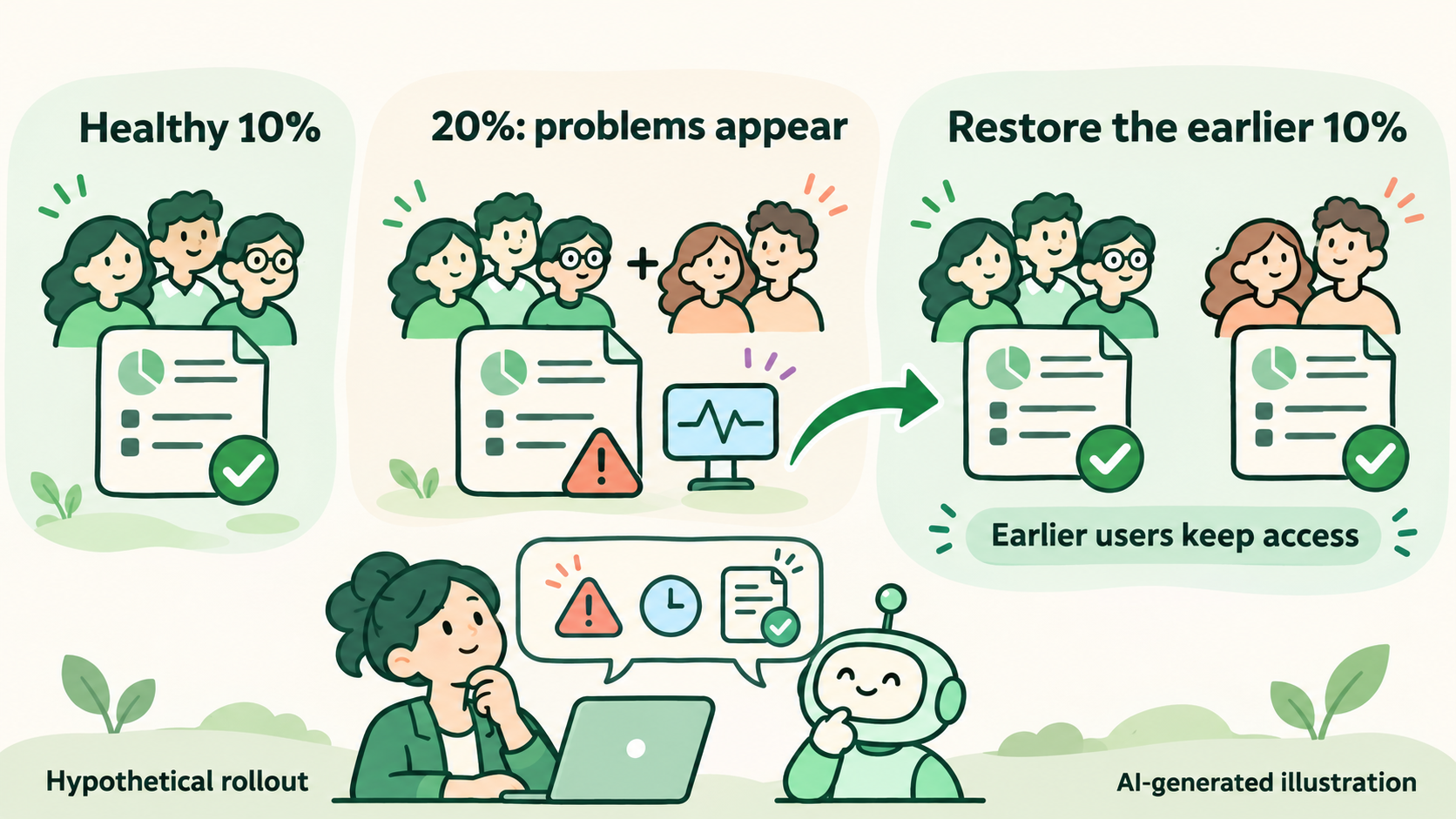
AI-generated illustration. The percentages describe a hypothetical release, not measured customer results.
Use a rehearsed recovery workflow: restore the recorded configuration manually, or configure external automation with the appropriate API permissions. FeatBit flag triggers can turn targeting on or off; they do not independently reconstruct an earlier audience. Test alert thresholds and recovery actions before relying on automation.
After recovery, verify actual decisions and report health, allowing for SDK synchronization and work already running. A flag change cannot undo completed data modifications or retract downloaded reports. Handle affected data and in-flight jobs separately, and pause scheduled expansions while investigating.
A short release checklist
- Define the customer's task and how to check success.
- Review and test the new path, authorization, and data compatibility.
- Verify the old workflow, OFF behavior, and fallback.
- Confirm internal and pilot targeting with real account context.
- Check errors, response time, completion events, and change markers.
- Save healthy settings and audiences; rehearse recovery with an owner.
- Expand only with evidence, then schedule temporary flag cleanup.
Image disclosure: The cover and illustrations in this article were generated with AI. They are conceptual illustrations, not product screenshots.