
Stale Flag Cleanup Automation: A Safe Developer Workflow
Stale flag cleanup automation should not mean "delete every old feature flag." The safer target is a developer workflow that finds cleanup candidates, gathers evidence, opens small pull requests, and retires the dashboard flag only after production no longer evaluates it.
That distinction matters. A feature flag can be old and still valuable if it controls an operational fallback, permission rule, migration, or emergency kill switch. Automation is useful when it reduces the manual search work while keeping the release decision explicit.
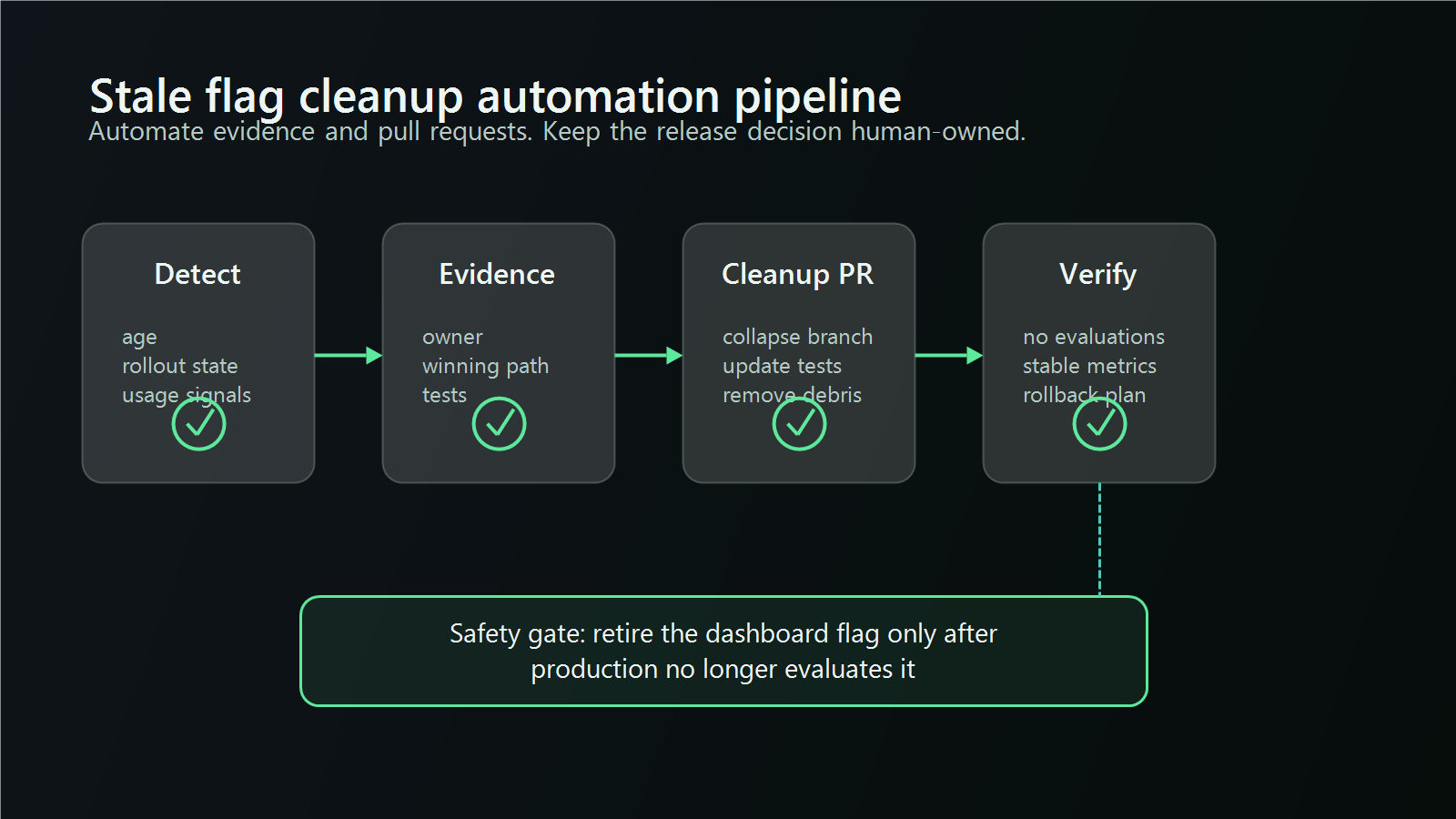
What Cleanup Automation Should Own
Automate the repetitive parts of stale flag cleanup:
- detecting candidates from platform state, repository usage, and lifecycle policy;
- collecting an evidence packet for the owner and reviewer;
- creating a pull request that collapses a known branch into ordinary code;
- updating tests so they assert the surviving behavior directly;
- verifying that the deployed application no longer evaluates the flag;
- proposing archive or deletion only after code cleanup is live.
Do not automate the business decision unless the rule is explicit. A script can tell you that checkout_redesign_v2 has been at 100 percent for 45 days and still has two code references. It cannot safely infer, by itself, whether support, finance, sales packaging, experiment analysis, or a migration runbook still depends on the old branch.
The best automation produces a reviewable decision: remove, retain, or needs owner input.
Start With a Cleanup Contract
Stale flag automation needs policy before code scanning. Without a policy, the tool will treat every flag as the same kind of object. That creates false positives because release flags, experiment flags, operational flags, permission flags, and migration flags have different end states.
A minimal cleanup contract should define:
| Field | Example | Why it matters |
|---|---|---|
| Flag type | release, experiment, ops, permission, migration |
Sets the default review window and risk level |
| Owner | Platform team, checkout team, growth team | Identifies who can approve removal |
| Expected end state | Keep enabled path, remove abandoned path, retain long term | Prevents branch guessing |
| Evidence rule | 100 percent rollout, completed experiment, no live evaluations | Tells automation what to verify |
| Cleanup sequence | Code PR, deploy, verify, archive flag | Prevents deleting the control before code stops using it |
FeatBit's feature flag lifecycle management guidance frames flags as lifecycle assets with type, owner, evidence, decision, and cleanup path. For implementation detail, pair that with cleanup expectations so automation can apply different rules by flag type.
Build the Evidence Matrix
A stale flag candidate becomes actionable only when platform evidence and repository evidence agree.
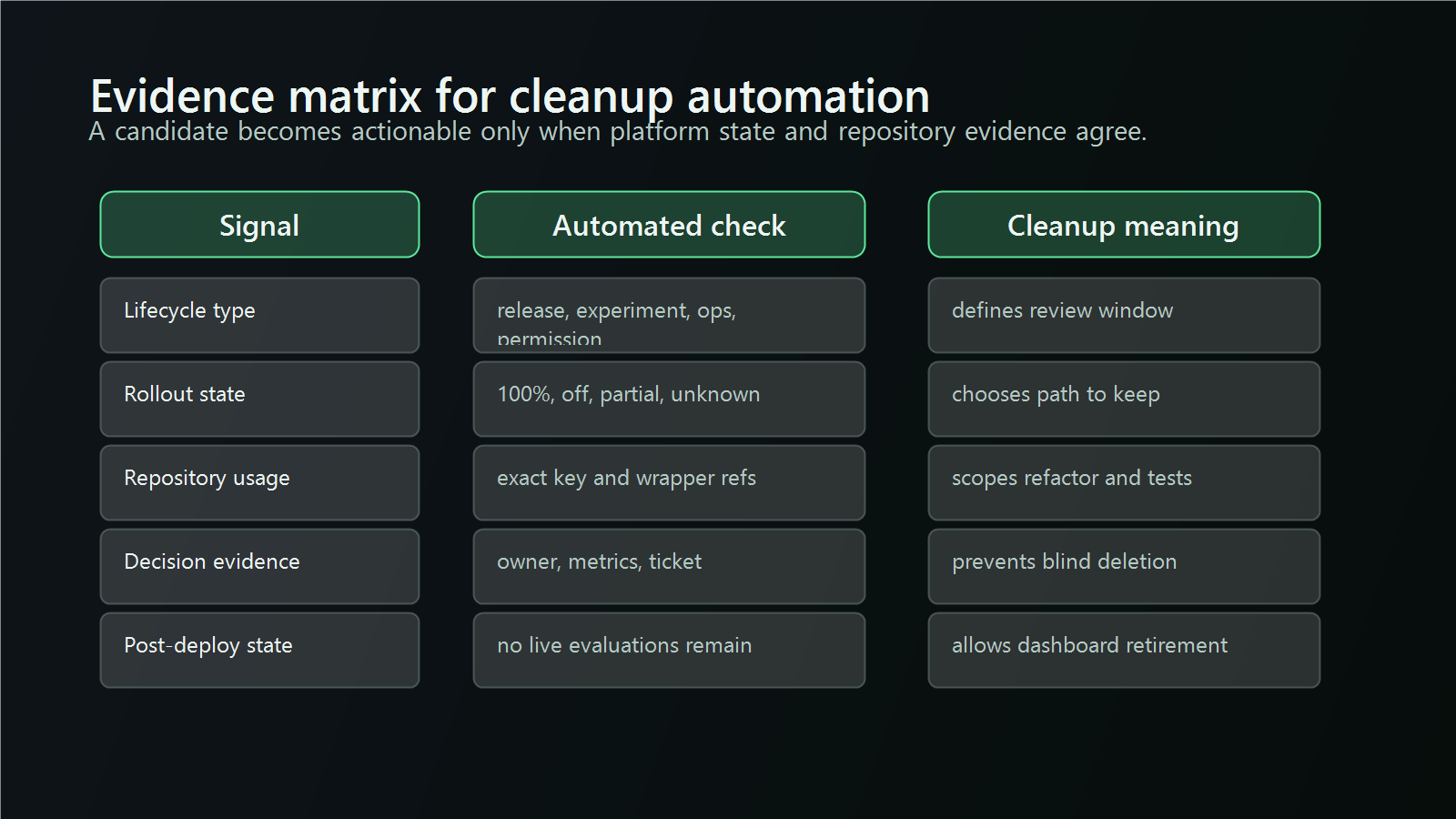
Use this matrix before editing code:
| Evidence | Automated signal | Cleanup interpretation |
|---|---|---|
| Lifecycle type | Tags, naming convention, registry metadata, flag description | Determines whether age is meaningful |
| Rollout state | Off, internal, partial, 100 percent, unknown | Determines which branch may survive |
| Repository usage | Exact flag key references, wrapper references, generated types, tests | Determines the refactor scope |
| Decision evidence | Linked ticket, experiment result, rollout note, owner approval | Determines whether cleanup is authorized |
| Runtime signal | Recent evaluations, telemetry dimensions, service logs | Confirms whether production still depends on the flag |
| Post-deploy state | No live evaluations after cleanup deployment | Allows archive or deletion according to policy |
The matrix should be machine-readable enough for automation and readable enough for a pull request reviewer. The reviewer should not need to rediscover why the script chose a branch.
A CI Workflow for Stale Flag Candidates
You can start with a scheduled CI job that produces a candidate report. Keep the first version read-only. The goal is to build trust in the signals before any automation opens cleanup pull requests.
name: stale-flag-candidates

on:
  schedule:
    - cron: '0 8 * * 1'
  workflow_dispatch:

jobs:
  scan:
    runs-on: ubuntu-latest
    steps:
      - uses: actions/checkout@v4
      - run: npm ci
      - run: npm run flags:stale-report
      - uses: actions/upload-artifact@v4
        with:
          name: stale-flag-report
          path: reports/stale-flags.json
The report should contain candidates, not final truth:
{
  "flagKey": "checkout-redesign-v2",
  "type": "release",
  "owner": "checkout",
  "rolloutState": "100_percent",
  "repoReferences": 4,
  "testsReferencingFlag": 2,
  "lastLiveEvaluation": "2026-05-18T13:42:00Z",
  "recommendedAction": "open_cleanup_pr",
  "blockers": []
}
For a FeatBit-backed application, this job should combine FeatBit state with repository conventions. In this website repository, for example, flag integration is intentionally centralized in src/lib/featbit/flags.ts, src/lib/featbit/server.ts, and src/lib/featbit/user.ts. That kind of typed integration point gives automation a small, predictable search surface before it touches page or component code.
Score Candidates Before Opening Pull Requests
After a few read-only reports, add a confidence score. The score should make automation more conservative, not more aggressive.
| Candidate state | Example signals | Automation behavior |
|---|---|---|
| High confidence | Release flag at 100 percent, owner known, no partial targeting, code references found, cleanup condition met | Open a cleanup PR with evidence |
| Medium confidence | Rollout looks complete, but owner or test scope is unclear | Open an issue or request owner review |
| Low confidence | Partial rollout, unknown state, active experiment, recent evaluations, permission or ops flag | Do not edit code automatically |
This is where many cleanup systems become risky. A flag can be stale in the dashboard but still active in code. A flag can have no current repository references because the key is assembled through a wrapper or generated type. A long-lived permission flag can look old because it is supposed to be stable.
The score should always preserve a "needs human decision" path.
Generate a Narrow Cleanup PR
When the evidence is strong, automation can create a small pull request. The pull request should include the evidence packet and touch only the files needed to remove the stale control point.
For a fully rolled-out boolean flag, keep the enabled behavior:
// Before
if (flags.checkoutRedesignV2) {
  return renderRedesignedCheckout(cart)
}

return renderLegacyCheckout(cart)

// After
return renderRedesignedCheckout(cart)
For a never-rolled-out or abandoned flag, keep the fallback behavior:
// Before
return flags.enableInvoiceExport
  ? renderInvoiceExport(order)
  : renderStandardReceipt(order)

// After
return renderStandardReceipt(order)
For a multivariate flag, keep only the approved variation after the owner confirms the decision:
// Before
switch (flags.searchRankingMode) {
  case 'semantic':
    return rankWithSemanticModel(results)
  case 'keyword':
  default:
    return rankWithKeywordRules(results)
}

// After
return rankWithSemanticModel(results)
The cleanup PR should also remove unused imports, obsolete tests, dead fixtures, temporary telemetry dimensions, documentation references, and stale configuration. Then the automation should search the exact flag key again and include the remaining references in the PR body.
Deploy Before Retiring the Flag Record
The safe order is:
- Open the cleanup PR.
- Review the evidence and code diff.
- Merge and deploy the code that no longer evaluates the flag.
- Verify that production no longer sends evaluations for that flag.
- Archive or delete the flag record according to team policy.
Do not reverse steps 3 and 5. If the dashboard flag is removed while deployed code still evaluates it, the application may fall back to a default path that no one intended to ship.
FeatBit fits this workflow as the release-decision control plane: developers can use FeatBit state, audit history, rollout rules, and lifecycle conventions to decide which path survives, while the repository cleanup remains a normal code review. If you want an agent-assisted version of the same process, read how coding agents help clean up stale feature flags.
Market Signals Support the Workflow Direction
The broader feature flag market is moving toward cleanup as a developer workflow, not only a dashboard hygiene task. Unleash documents stale and potentially stale flag states, plus stale events that can trigger follow-up automation. DevCycle documents stale feature notifications and a dvc cleanup command for replacing a variable with a static value in JavaScript code. PostHog's VS Code extension describes codebase scanning and stale flag cleanup inside the editor.
Those examples should not be copied blindly into every team. They do show a useful pattern: stale flag cleanup becomes safer when detection, repository analysis, and code review are connected.
Common Automation Pitfalls
Using age as the primary signal. Age is useful only after flag type is known. An old release flag may be stale. An old permission flag may be correct.
Deleting the platform flag first. Remove code, deploy, verify, then archive or delete the flag record.
Ignoring generated types and wrappers. Repository scanning should search exact keys, typed registry names, evaluation helpers, generated SDK accessors, tests, and configuration files.
Treating telemetry as optional. If you cannot tell whether production still evaluates the flag, cleanup confidence should drop.
Letting automation choose business intent. Automation can propose the branch to keep. Owners still approve the release decision when evidence is incomplete or the flag affects business rules.
A Practical Rollout Plan
Start small:
- Define cleanup expectations for two or three flag types.
- Add a weekly read-only stale flag report.
- Review false positives for one month.
- Allow automation to open cleanup PRs only for high-confidence release flags.
- Keep medium-confidence candidates as issues until owners trust the evidence.
- Archive or delete flag records only after code cleanup is deployed and verified.
This gives teams the benefit of automation without turning feature flag cleanup into a dangerous batch deletion job.
Bottom Line
Stale flag cleanup automation works when it automates evidence, refactoring, and review flow. It fails when it tries to replace release judgment with a crude age check.
Treat every cleanup candidate as a small release decision: what behavior survives, what evidence supports that choice, what code changes are required, and when the flag can safely disappear from the control plane. With that discipline, feature flags stay a release safety mechanism instead of becoming permanent technical debt.
Source Notes
- Unleash technical debt documentation describes active, potentially stale, and stale feature flag states, plus automation that can react to stale flag events.
- DevCycle stale feature notifications documents stale conditions such as unmodified, released, and unused features.
- DevCycle CLI cleanup documentation documents
dvc cleanupfor replacing a variable with a static value in JavaScript code. - PostHog VS Code extension README describes stale feature flag cleanup with codebase scanning and refactoring support.
- FeatBit feature flag lifecycle management explains the lifecycle model used in this article: type, owner, evidence, release decision, and cleanup path.
Internal Links
- Feature flag lifecycle management
- Cleanup expectations, not just naming conventions
- How coding agents help clean up stale feature flags
- Stale AI flag cleanup workflow
- How to implement feature flags
Image and Open Graph Recommendations
- Open Graph image:
/images/blogs/stale-flag-cleanup-automation/cover.png - Body image 1:
/images/blogs/stale-flag-cleanup-automation/automation-pipeline.png - Body image 2:
/images/blogs/stale-flag-cleanup-automation/evidence-matrix.png