
Manage Feature Flags With PostHog AI: A Control Checklist
If you are searching for how to manage feature flags with PostHog AI, the useful question is not only whether an AI assistant can create a flag. Public PostHog docs describe PostHog AI as an in-app agent that can use dev tools to create feature flags, and PostHog MCP as a way for AI agents to work with analytics, experiments, feature flags, and other PostHog resources.
The production question is narrower and more important: which parts of feature flag management should AI draft, which parts should require approval, and where should the durable release-control state live?
This checklist is for engineering, platform, and product teams evaluating AI-assisted flag work through PostHog AI, PostHog MCP, or a similar vendor-native AI workflow. The FeatBit point of view is simple: use AI to reduce coordination work, but keep targeting, rollout, audit, rollback, metrics, and cleanup in a deterministic control plane.
What The Search Intent Usually Means
Someone who types "manage feature flags with PostHog AI" is usually trying to answer one of five practical questions:
| Reader question | What they need to verify |
|---|---|
| Can AI create a flag for me? | Whether the assistant can draft or execute the flag creation task. |
| Can AI manage rollout rules? | Whether production targeting changes require approval and audit evidence. |
| Can AI connect flags to experiments and product data? | Whether exposure, assignment, and outcome events remain trustworthy. |
| Can AI work from my editor or agent tool? | Whether MCP or another agent interface has scoped, reviewable access. |
| Is this safe for production? | Whether fallbacks, rollback, lifecycle ownership, and permissions exist outside the model. |
PostHog's feature flag docs describe common flag jobs such as phased rollouts, kill switches, targeting, A/B testing, remote config, and beta programs. PostHog AI and MCP bring natural-language workflows closer to those jobs. That is useful, but it also increases the need for explicit boundaries because a prompt can become a production mutation.
Separate AI Assistance From Release Authority
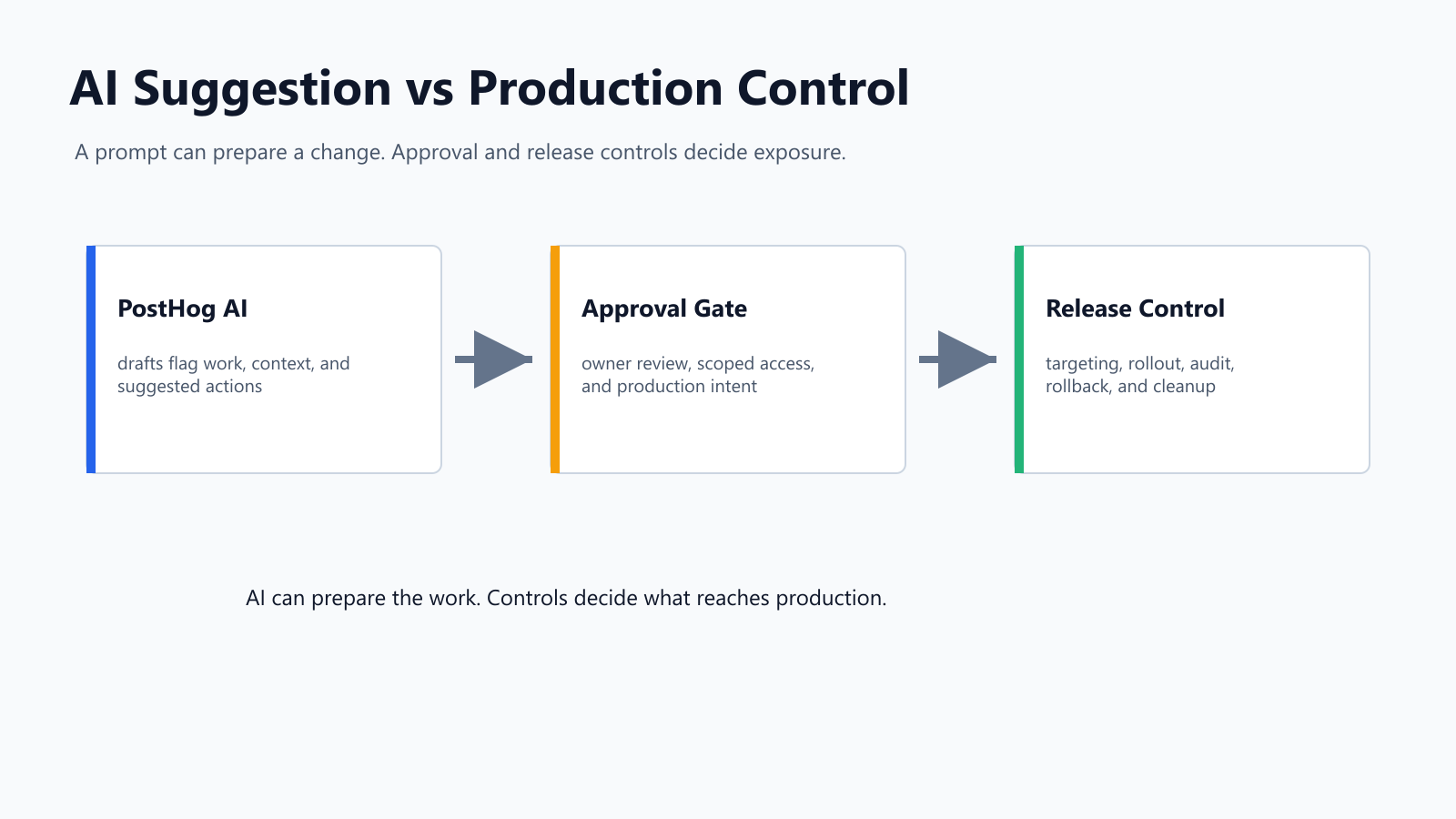
Feature flags are production controls. They decide who sees a feature, which experiment variant runs, which remote config is active, and how quickly exposure expands. AI can help write the plan, find code references, summarize telemetry, and prepare changes. It should not automatically own every release decision.
Use this boundary before giving an AI assistant write access:
| Feature flag job | AI can help with | Control that should remain deterministic |
|---|---|---|
| Create a flag | Draft key, purpose, type, description, and fallback. | Naming policy, environment defaults, owner, and initial production state. |
| Add code references | Suggest insertion points and tests. | Code review, fallback behavior, SDK boundary, and deployment pipeline. |
| Set targeting | Draft rules for internal users, beta cohorts, accounts, or percentages. | Production approval, segment validation, and audit trail. |
| Expand rollout | Summarize evidence and propose continue, pause, or rollback. | Metric gates, owner signoff, rollout percentage, and rollback action. |
| Run an experiment | Draft hypothesis, variants, and guardrails. | Primary metric, assignment unit, exposure event, and analysis integrity. |
| Clean up a flag | Find references and draft a removal plan. | Owner review, test updates, archive or delete decision, and release memory. |
This is the same operating model behind AI-assisted flag management, but the vendor-query version adds one more concern: if the AI assistant is deeply connected to a product analytics workspace, you must decide which workspace data and write actions it can touch.
A Safe Workflow For PostHog AI Flag Work
The safest version of "manage this flag with AI" is a staged workflow, not a single all-powerful prompt.
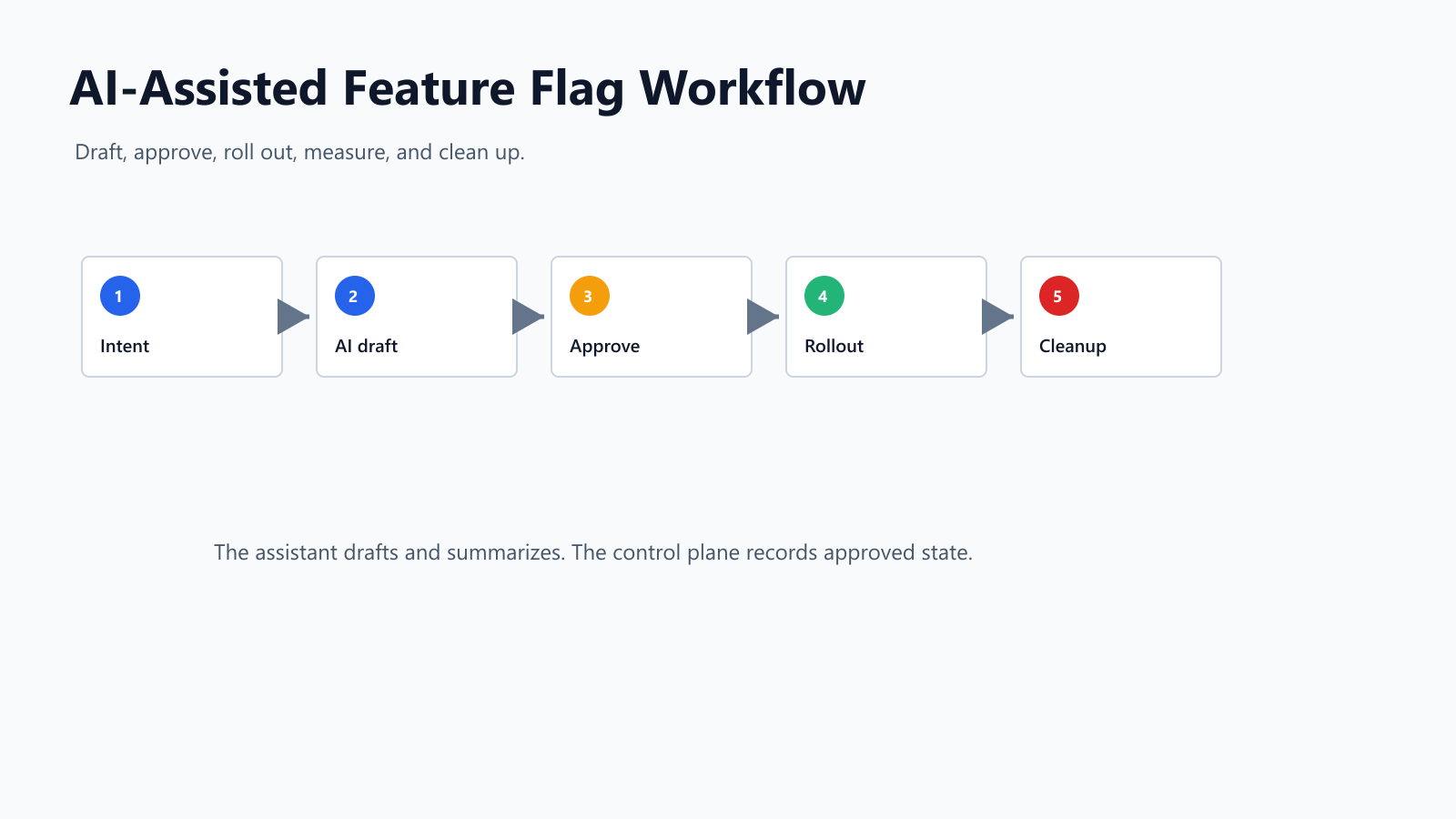
1. Start With A Flag Intent
Do not begin with "create a feature flag." Begin with a structured intent that lets the assistant review the release decision before any state changes.
flag_intent:
  key: onboarding-assistant-v2
  purpose: Release the new onboarding assistant to selected accounts.
  type: multivariate
  fallback: baseline
  candidate_variations:
    - baseline
    - guided_v2
  owner: growth-platform
  first_audience: internal users only
  rollout_path:
    - internal users
    - 5 percent of eligible accounts
    - 25 percent after guardrails pass
    - 100 percent after product signoff
  success_metric: activation_completed
  guardrails:
    - support_ticket_rate
    - onboarding_error_rate
    - p95_latency
  cleanup_rule: remove candidate branch after final release decision
Ask the assistant to find gaps first:
Review this flag intent. Identify unsafe defaults, missing telemetry, unclear ownership, approval gaps, and cleanup risks. Do not create or modify any flag.
2. Let AI Draft The Change Plan
The assistant can produce a useful implementation plan:
- proposed flag key and description;
- flag type, variations, and fallback;
- SDK evaluation location;
- targeting rules for the first audience;
- exposure and outcome events;
- rollout gates and rollback triggers;
- cleanup checklist.
The plan should be reviewable text before it becomes a platform mutation. For a sensitive production flag, require the assistant to show both the proposed change and the reverse operation.
3. Require Approval Before Production Writes
If PostHog AI, MCP, or another agent can write to your flag platform, treat that tool like a production operator. It needs scoped credentials, audit visibility, and clear limits.
At minimum, require approval for:
- creating or enabling a production flag;
- changing an off variation or fallback;
- adding a production targeting rule;
- increasing rollout percentage;
- changing experiment metrics after launch;
- archiving, deleting, or reusing a flag key.
PostHog's MCP docs describe agents that can read and write across product areas. That makes the access model important. A hosted MCP endpoint or in-app AI assistant can be convenient, but production write authority still needs least privilege, owner review, and a rollback path.
4. Keep Rollout Evidence Outside The Prompt
The prompt is not the evidence system. Rollout decisions should use actual flag exposure data, product events, errors, latency, cost, quality signals, and support notes.
For AI-related features, track both assignment and actual behavior served. A user may be assigned to a candidate profile, but the application may fall back because a provider timed out, a guardrail blocked output, or a retrieval dependency failed. Your evidence should capture that difference.
The Control Checklist
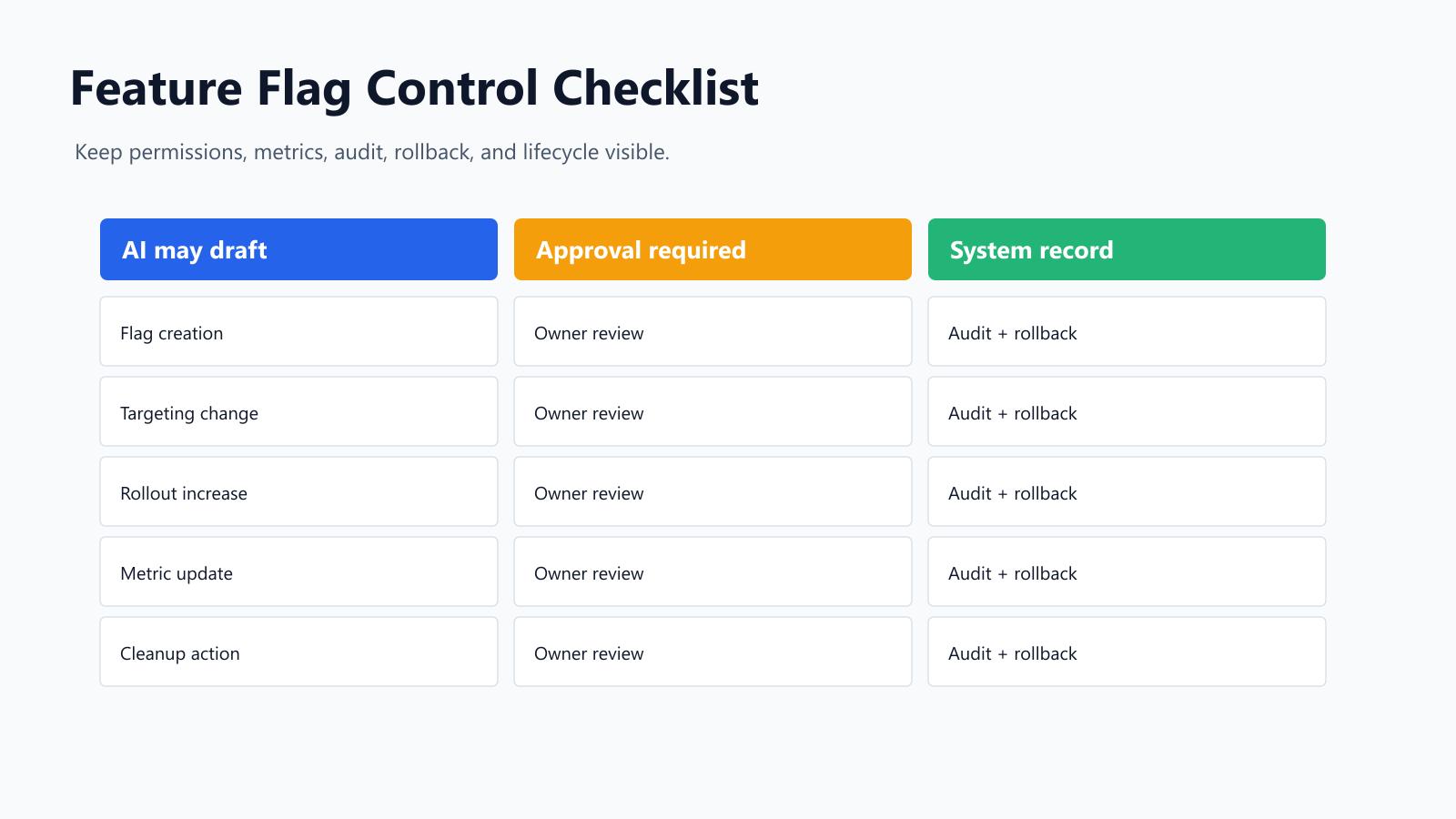
Use this checklist before trusting AI-assisted feature flag management in production.
| Control area | Question to ask |
|---|---|
| Tool authority | Does the AI assistant have read-only, draft-only, approval-required, or direct write access? |
| Data scope | Which projects, events, users, accounts, flags, experiments, and replays can it read? |
| Initial state | Are new production flags created off by default or limited to internal users? |
| Fallback | Is the off variation safe, explicit, and tested? |
| Targeting | Can a reviewer see exactly which cohort, percentage, or segment will receive the change? |
| Metrics | Are exposure, primary outcome, and guardrail events defined before rollout? |
| Audit | Will the change history show the actor, source tool, old value, new value, and reason? |
| Rollback | Is the reverse operation known before rollout expands? |
| Lifecycle | Does the flag have an owner, review date, and cleanup path? |
| Self-hosting | If data control or private infrastructure matters, can the release-control layer run where you need it? |
The self-hosting question is easy to overlook. Product analytics and feature flagging are often tied closely together, but some teams want release-control state, audit records, or flag evaluation infrastructure in their own environment. In that case, evaluate whether a vendor-native AI workflow fits your data boundary or whether you need a separate self-hosted feature flag platform.
Where FeatBit Fits
FeatBit is not a replacement for PostHog AI as a product-data assistant. It is a release-decision control plane for teams that want feature flags, rollout, experimentation, audit, APIs, and self-hosted deployment as operational infrastructure.
In a FeatBit-centered workflow:
- AI drafts the flag intent, code plan, rollout checklist, and cleanup notes.
- FeatBit stores the flag configuration, variations, targeting, rollout state, and audit history.
- Application code evaluates the flag where behavior is selected.
- Product and engineering owners approve production changes.
- Telemetry decides whether the team continues, pauses, rolls back, or cleans up.
FeatBit supports boolean and multivariate flags, including string, number, and JSON variations. That matters for AI and product workflows because the decision is often not just on or off. A variation may select a prompt profile, onboarding mode, pricing experiment, model route, or remote configuration profile.
For rollout, FeatBit targeting rules and percentage rollouts let teams start with internal users, one segment, or a small traffic slice. For governance, FeatBit audit logs and lifecycle management help teams remember why a flag exists and when it should be removed.
This is why FeatBit describes feature flags as an AI control layer: AI can help generate or explain the work, but runtime behavior should still pass through named, observable, reversible controls.
When A PostHog-Native AI Workflow Is Enough
A PostHog-native AI path may be a good fit when:
- your feature flags, experiments, product analytics, and session replay already live in PostHog;
- your team wants AI help inside the same product workspace;
- production write access can be scoped, reviewed, and audited to your standard;
- your rollout evidence depends mainly on PostHog events;
- your data boundary and deployment model match a hosted product analytics platform.
Add a separate release-control layer or evaluate FeatBit when:
- flag state and audit history must live in private infrastructure;
- production approval should be separated from analytics exploration;
- AI-generated feature work needs environment-specific governance;
- multiple products, services, SDKs, or agent systems need a shared flag control plane;
- you want open-source and self-hosted feature flags as part of your platform architecture.
This is not a claim that one pattern is universally better. The right architecture depends on where your team wants AI assistance, where production authority belongs, and where release evidence must be stored.
Prompts That Keep AI In The Right Role
Use prompts that force review before action.
Flag creation review
Review this feature request and propose a feature flag plan. Include key, type, fallback, owner, environments, targeting, rollout stages, exposure event, success metric, guardrails, and cleanup rule. Do not create or update any flag.
Production rollout review
Review the current flag state and recent evidence. Recommend continue, pause, rollback, or investigate. Show affected audience, evidence used, evidence missing, proposed platform change, and reverse operation. Do not change rollout.
MCP access review
List the PostHog MCP or AI tools this workflow would need. Classify each as read-only, draft-only, approval-required write, or prohibited for production. Explain the risk behind each write action.
Cleanup review
The flag has reached its final decision. Find code references, tests, dashboards, experiment reports, and docs that mention it. Draft a cleanup pull request plan and archive recommendation. Do not delete code or archive the flag.
Red Flags Before Production Use
Pause the rollout if any of these are true:
- The assistant can enable a production flag without owner approval.
- The flag has no safe off variation.
- The prompt creates targeting rules but does not show the affected audience.
- The experiment metric can be changed after exposure starts without a review note.
- The audit log cannot distinguish human changes from AI or MCP-driven changes.
- Rollout evidence only exists inside a chat transcript.
- Cleanup depends on someone remembering the prompt later.
- AI has broad workspace write access when the use case only needs flag drafting.
AI-assisted feature flag management should make release work faster to prepare and easier to review. It should not make production behavior harder to explain. Use PostHog AI or MCP where it helps with context and drafting. Keep release authority, rollback, lifecycle, and auditability explicit.
Source Notes
- PostHog category context: PostHog's PostHog AI documentation describes an in-app AI agent that can use dev tools to create feature flags and work with product data. PostHog's AI engineering page lists PostHog MCP as an AI feature for creating feature flags, running experiments, and querying data. PostHog's MCP documentation describes a hosted MCP endpoint for AI agents and notes that agents can read and write across PostHog products. PostHog's feature flag documentation describes use cases such as phased rollouts, kill switches, targeting, A/B testing, remote config, and beta programs. This article uses those pages as source context, not as a product ranking.
- FeatBit implementation context: create flag variations, percentage rollouts, audit logs, FeatBit REST API, feature flag lifecycle management, and self-hosted feature flags.
- Related FeatBit reading: AI-assisted flag management, AI-assisted operations with feature flags, which feature flag platform supports AI configs, and AI control layer.
Image And Open Graph Notes
- Use
/images/blogs/manage-feature-flags-with-posthog-ai/cover.pngas the Open Graph image because it frames the article around AI assistance plus release-control boundaries. - Use
posthog-ai-control-boundary.pngnear the opening to show the difference between AI suggestion and approved production state. - Use
ai-flag-workflow.pngin the workflow section to show the path from flag intent to rollout and cleanup. - Use
control-checklist.pngnear the checklist section because the article's main reader job is evaluation before production use.